


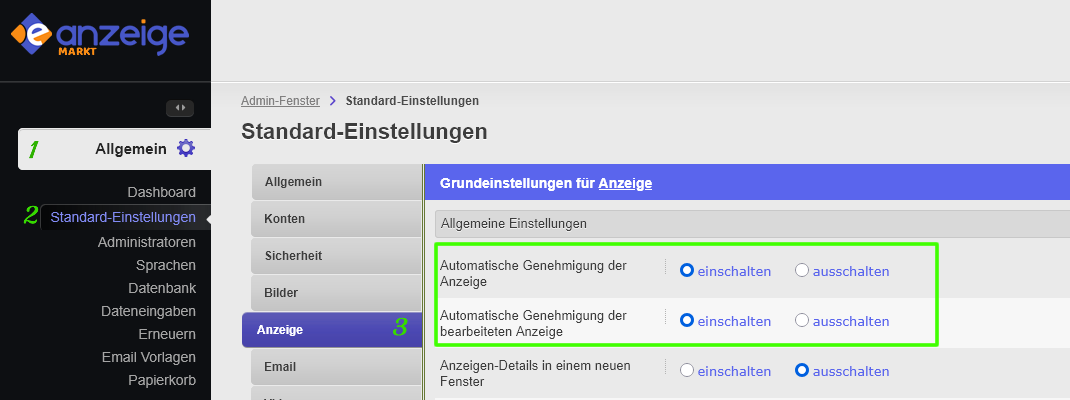
Under General / Default settings / Display the administrator can set automatic approval for all registered accounts - regardless of their assigned group. This setting allows you to turn automatic approval on or off for new or edited ads.
After registration, the user can publish ads directly if automatic approval is enabled (see point 3). However, regardless of this setting, the administrator can check the content of the ads and the customer data and deactivate them in case of violations.
However, if the option is turned off, the ad will only be approved after being reviewed by an administrator. The check can either
- the customer data that was entered during registration.
- the content (text, images, videos, etc...) of the ad.